
|
|
The purpose of this section is to present how to configure calculation of Status Log and Event Log from the controller.
Data Set Manager plug-in will be required for performing the following configuration. For more detail information, refer to Configuring Plug-ins.
Status Log
To accomplish configuration of the Status Log, we have to take some basic steps, including
For more detail information, refer to the Status Log section.
Follow the steps below to create a data set:
 ;
; ;
;
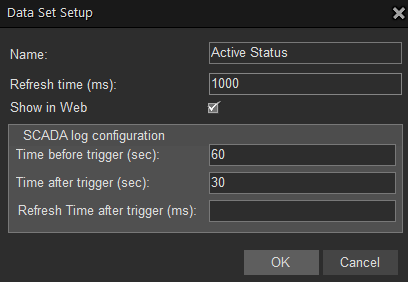
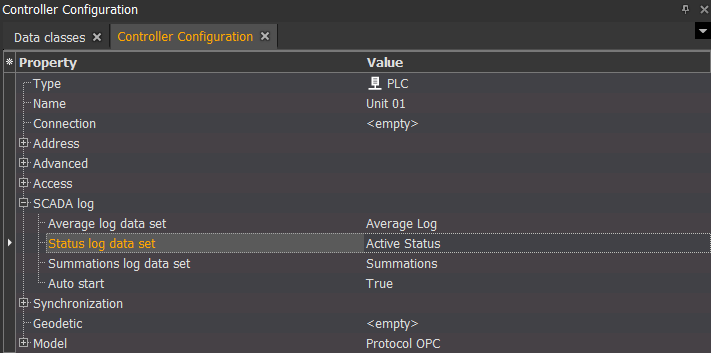
Now we need to assign a created Active Status data set to the controller named Unit 01. To do this, follow the steps below:
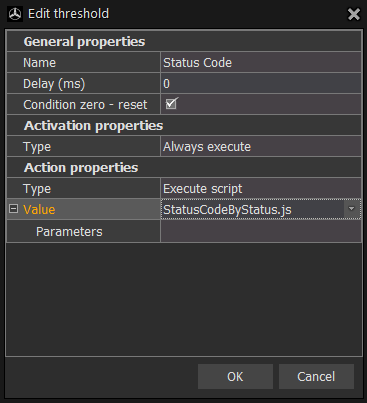
Let's assume, that we have channel Active Status Code which returns active status code from the controller. Now, we need to configure the threshold and assign it to the channel Active Status Code in the following way:

Note. You can use  filter to simplify the way of searching the required items by simply typing the required word in the appropriate field.

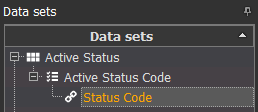
 in the upper left corner so they will be saved on the server.
Once the changes are applied, the threshold starts to check the received data.
If mapping is required, create Status Code Mapping by following the steps described in Create Status Code Mapping.
The other way of Status Log creation is when we want to generate appropriate status code based on the specified conditions, e.g. wind speed or power production is less than some value, etc. Therefore, we need to create a threshold and assign to it the condition of, for example, comparing the values which are lower than 300. To do this, follow the steps below:
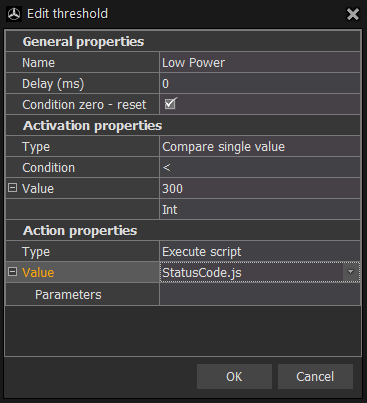
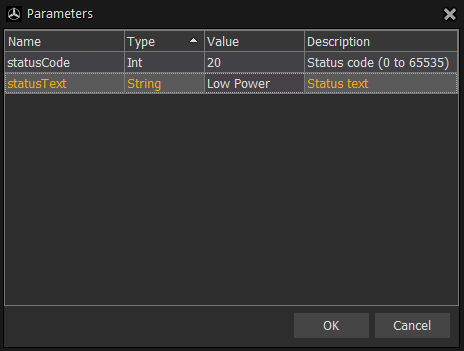
If mapping is required, create Status Code Mapping by following the steps described in Create Status Code Mapping.
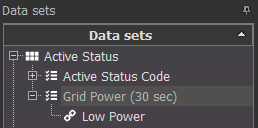
Now we need to attach the channel Grid Power to Active Status data set by dragging-and-dropping it, and then attach a created threshold Low Power to the Grid Power channel in the same way. Afterwards, apply the changes by clicking in the upper left corner so they will be saved on the server.
Event Log
Event Log comparing to Status Log contains only pure events without setting and resetting time values. For more detail information, refer to Event Log.
To we need to create data set, assign it to a controller or use any of already existing and assigned to a controller data sets and configure threshold.
To configure Event Log, we have to take some basic steps, including
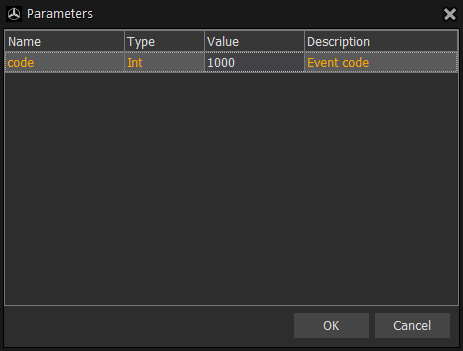
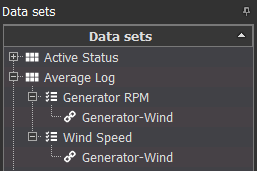
If the required data set is not created, you can create it and assign it to the controller by following the steps described earlier in this section in Status Log Configuration. Afterwards, you can proceed with the threshold configuration. For example, every 30 seconds we need to record values for the wind speed and generator speed (in rpm) into the Event Log. To be able to do this, follow the steps below:
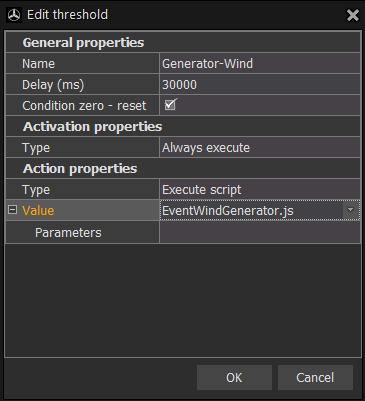
in the upper left corner, so they will be saved on the server.The next manual section Configure Alarms will provide you with more detail instructions on how to configure generation of alarms.